Backlinks
Assemble the landing page from content blocks
Everything the app can show is now in place — text, data, charts, views. The landing
page is their composition: an ordered sequence of
content blocks on the root document. Two block types exist: ldh:XHTML holds authored markup, and
ldh:Object embeds any other resource — a chart, a view, a document.
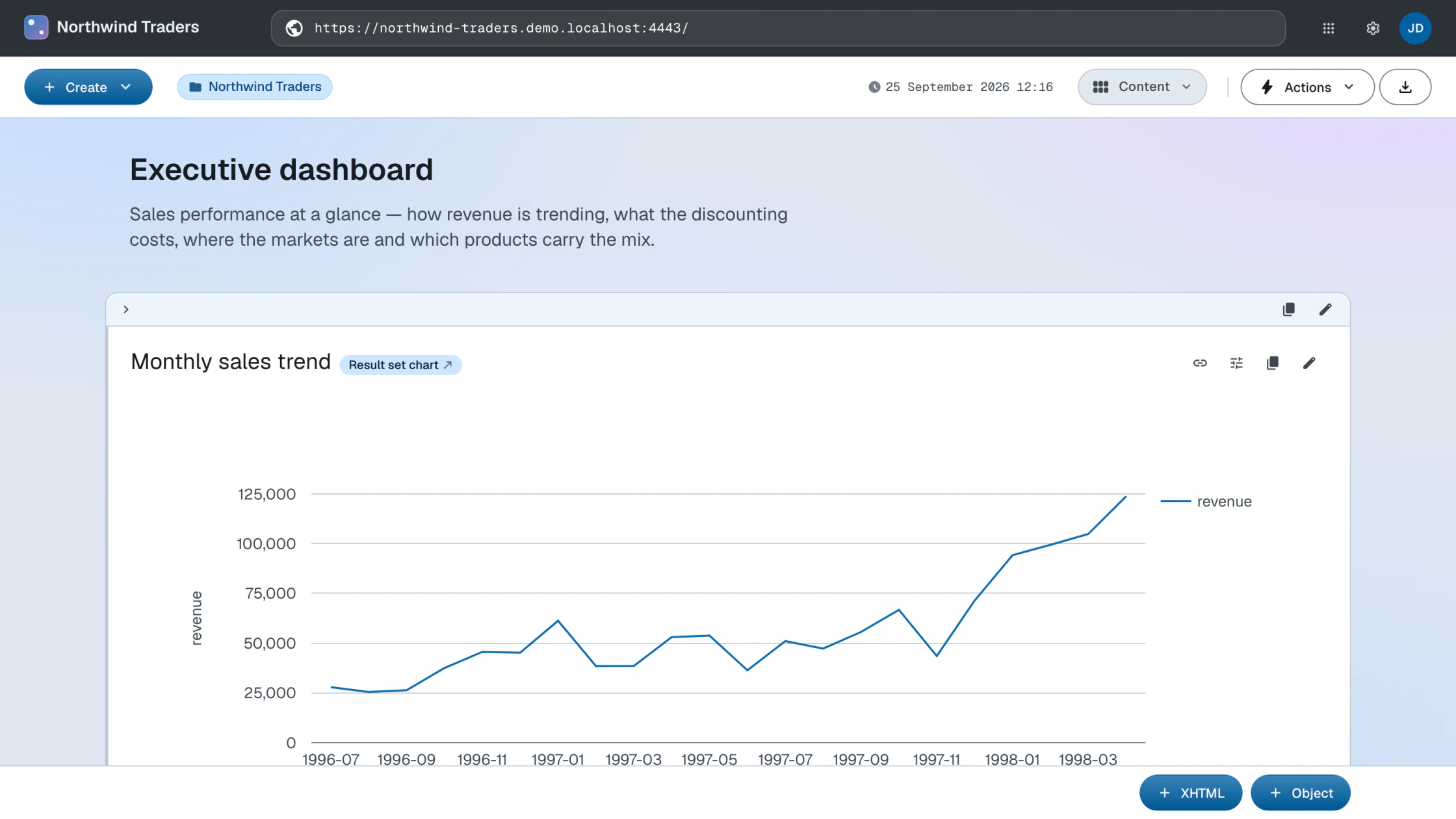
The demo's finished root document interleaves them into an executive dashboard:
<> a def:Root ;
    dct:title "Northwind Traders" ;
    rdf:_1 <#overview-intro> ;                 # XHTML   — "Executive dashboard" intro
    rdf:_2 <#sales-trend-block> ;              # Object  — monthly sales line chart
    rdf:_3 <#margin-intro> ;                   # XHTML   — "What the deals cost"
    rdf:_4 <#discount-rate-block> ;            # Object  — discount rate line chart
    rdf:_5 <#revenue-by-country-block> ;       # Object  — revenue by country bar chart
    rdf:_6 <products/#top-selling-products> ;  # Object  — chart reused from Products
    rdf:_7 <#top-manager-header> ;             # XHTML   — "Sales leadership"
    rdf:_8 <#top-manager> ;                    # Object  — embeds <employees/2/#this>
    rdf:_9 <#navigation-prompt> ;              # XHTML   — where to go next
rdf:_10 <#select-children> . # Object — children viewSource: root.ttl · Live: the dashboard
Two of the blocks show how far transclusion reaches. rdf:_6 embeds a chart that is defined on the Products container — the same
resource renders on both pages, so an insight is authored once and placed wherever
it is needed. rdf:_8 embeds a plain data resource:
<employees/2/#this>, the Vice President of Sales, rendered with his description and photo — no special
profile widget exists; the
default rendering of the resource is the widget.
The narrative rhythm — prose, then evidence, then prose — is an editorial choice,
and it is made entirely in data: reordering the page means renumbering rdf:_N.
With the Content layout mode active, append blocks with the XHTML and Object buttons at the bottom of the page. Reorder by dragging a block by its drag handle and dropping it in a different position.
The composition is the root.ttl of the first stage, grown to its final form and applied with the same PUT:
ldh put "$LDH_BASE" root.ttl
To reorder, renumber the rdf:_N properties in the file and PUT it again — PUT replaces the document's description outright.
What you now see
The homepage is the finished dataspace: branded header, live charts over the imported graph, and navigation into the containers — all of it driven by one document's description.
How this works
- Content blocks — XHTML and object blocks, their RDF serialization and their management
Next: Publish